
EZ Grader – The Easy Grade Calculator For Teachers
Result
Grading Chart:
| # Wrong | Grade |
|---|
Tired of spending hours grading quizzes, tests, and assignments manually? This quick and accurate online EZ grader helps educators, learners, and college users calculate percentages, scores, and academic results in seconds. This simple grading tool helps you instantly calculate number correct, points, percentages, test scores, and letter grades using a standard grading scale without difficult math, spreadsheets, or manual calculations.
Forget printed grading charts, manual score calculations, and complicated grading formulas. This EZ grade calculator provides fast, precise, and transparent results for classroom grading, quizzes, homework, exams, and assessment tracking. It also helps users understand percentage scores, grading systems, and overall academic performance more efficiently.
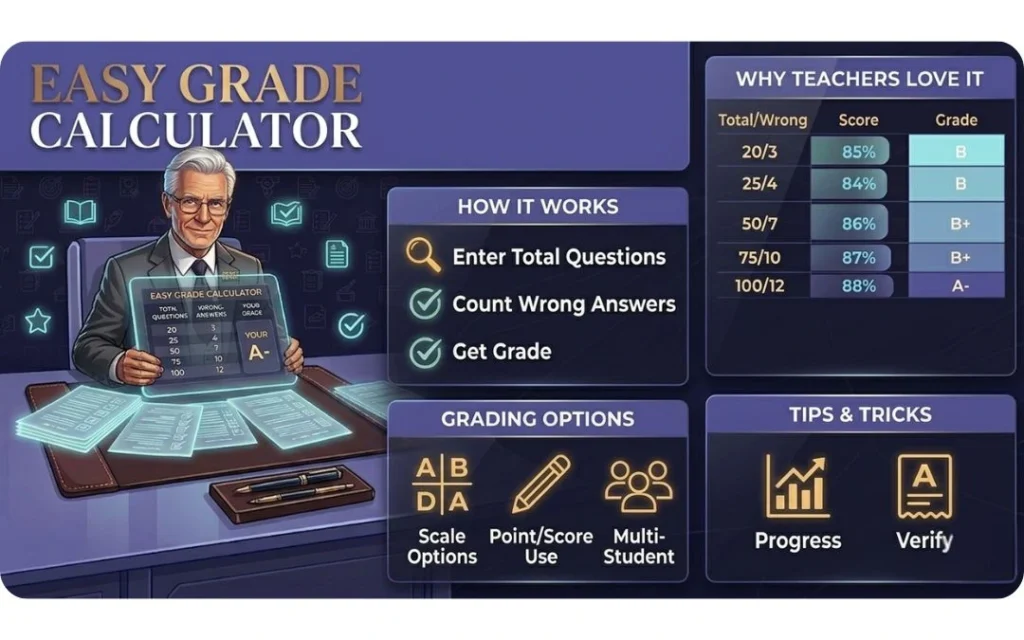
What is an Easy Grade Calculator?
This online grading tool helps users quickly calculate quiz scores, test percentages, letter grades, points, and number-correct results without manual calculations. This EZ grader simplifies classroom grading by automatically converting wrong answers into percentages using a standard grading scale.
Teachers can use this tool for grading homework, quizzes, assignments, exams, and college-level assessments without manual math, printed grading charts, or spreadsheets. The calculator provides quick, accurate, and easy-to-understand results for faster academic evaluation and score tracking.
Teachers often call it their easy grader: after a test, they enter the total questions and the number wrong, and the score appears at once.
In short, it is a calculator for test grades of every size, from spelling tests to full exams.
Nothing you enter is stored: scores are calculated in your browser and disappear when you close the tab.
How the Easy Grade Calculator Works?
This grading tool works in a few simple steps and provides instant results for quizzes, homework, tests, and exams:
- Enter total questions using the number correct grading system
- Add wrong answers
- Instantly calculate percentages, scores, and letter grades
- View results using a standard classroom grading scale
- Reset results anytime for new calculations
Everything works automatically with no formulas, spreadsheets, or manual math required. Users can quickly track quiz scores, assignment grades, and classroom performance using this simple online EZ grader.
As a test grader, it treats a ten-question quiz and a hundred-question exam exactly the same way.
Every result also shows the percentage to letter grade conversion, so 86 percent is instantly shown as a B.
Example Score Table
This math-based online EZ grade calculator calculates scores using number correct, total points, percentages, and grading scales commonly used in schools and college grading systems.
| Total Questions | Wrong Answers | Percentage Score |
| 20 | 3 | 85% |
| 25 | 4 | 84% |
| 50 | 7 | 86% |
| 75 | 10 | 87% |
| 100 | 12 | 88% |
Why Teachers Prefer Easy Grade Calculator
Educators prefer this grading tool because it is easy to use, highly accurate, and saves valuable time during classroom assessment. This online EZ grader helps teachers quickly calculate percentages, points, number correct, quiz scores, homework grades, and exam results without manual calculations, spreadsheets, or complex grading charts.
Key Features of Easy Grader
- Easy-to-use online EZ grader for classrooms, educators, and learners.
- Uses Total Questions and Total Wrong for number correct grading
- Works with quizzes, homework, assignments, tests, and exams
- Compatible with standard classroom and college grading scales
- Fast and accurate grading for classrooms, online learning, quizzes, and college exams
- Accurate math-based grading system with instant results
- Instant grading tables for fast performance tracking
- Supports up to 500 questions for large assessments
- designed for educators, learners, and college users
- Free grading tool with no signup or complicated setup required
- +1 Wrong: sits next to Total Wrong — each click adds 1 to Total Wrong and updates the result, handy when grading many students one after another.
- Two modes: “Number correct” uses Total Questions and Total Wrong; “Points” uses Earned points and Total points. Points mode accepts decimal values, so half points work there; Number correct uses whole questions only.
- Copy result: sits next to the result — copies the result text to the clipboard and briefly shows “Copied!”.
Students use it as a grade checker too, to verify a marked test before the official score is posted.
That speed is why it has become the easy grader for teachers who check papers at home, not just in class.
It is free for every teacher and student, with no account to create and nothing to download.
Tips to Use Easy Grade Calculator Efficiently
Save time and simplify classroom grading with these smart tips for using the Easy Grade Calculator more efficiently. These methods help users calculate percentages, points, and test scores faster while reducing grading errors.
- Reuse Total Questions: It only updates wrong answers to grade multiple students quickly.
- Mind Short Tests: A single missing question has a greater impact on small quizzes.
- Follow School Policies: The score percentage is exact if letter grades should follow your school’s rules.
- Track Progress: Compare percentages and test scores across multiple quizzes, exams, and assignments to identify grading trends.
- Show Decimals: Entering 5/6 shows 83.33% with it on and 83% with it off.
- Show Grading Chart: It toggles the chart on/off.
- Reset: It restores 10 total / 0 wrong.
For short pop quizzes, it works as a quick quiz grade calculator: count the wrong answers, enter them, and move on.
Once a stack is checked, the scores drop straight into your gradebook calculator or class register with no extra math.
If a student only needs the grade to pass, find the passing score for that test size in the table above and aim safely above it.
Frequently Asked Questions (FAQs)
Last Thoughts
This online EZ grader provides a fast, accurate, and simple way to calculate percentages, scores, points, and academic results for classroom assessments and coursework. It helps users calculate percentages, points, number correct, and test scores instantly without difficult math or manual spreadsheets. Whether you are grading quizzes, homework, assignments, or large college exams, this grading tool provides fast, reliable, and professional results every time.
Kept open in a browser tab, it stays a quick grade calculator for the whole school year.
For full course grades with weighted categories, use the main grade calculator. For two quarters plus a final exam, use the semester grade calculator.