
Easy Grade Calculator: The Free Online Grading Calculator
Tired of spending hours crunching numbers for quizzes and tests? The Easy Grade Calculator is an accurate, stress-free, and user-friendly online tool. It is designed for teachers, students, and parents. Quizzes and tests become effortless with this tool. Enter the total number of questions and wrong answers to see percentage scores and letter grades instantly.
Leftover to manual calculations, spreadsheets, and printed grading charts. Usage of this tool ensures consistent, precise, and transparent grading every time. This grade calculator also helps users quickly understand test scores, percentage results, and overall student performance using standard grading systems.
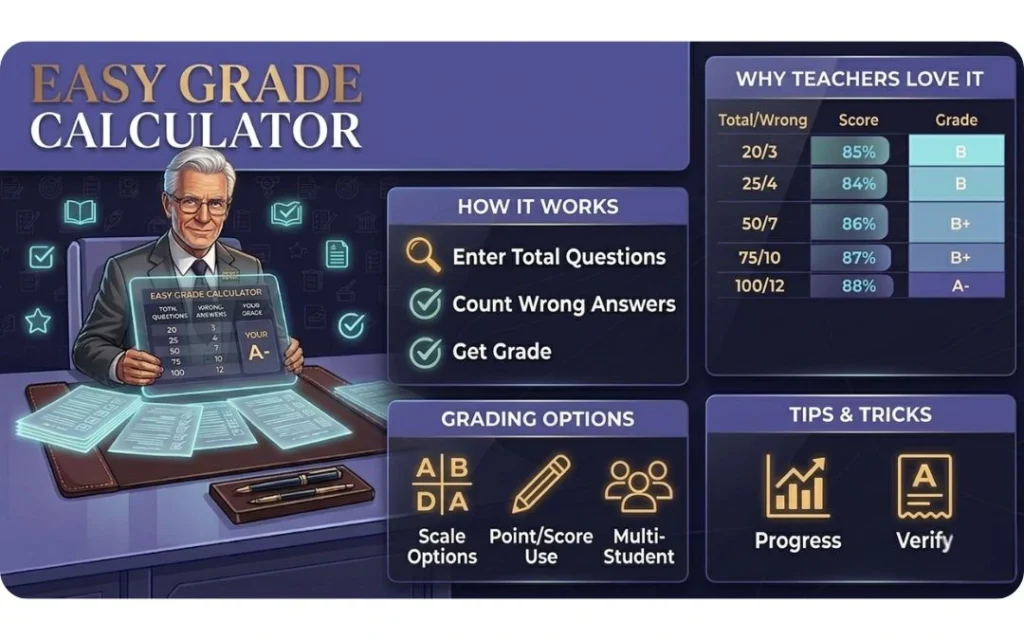
How Does the Easy Grade Calculator Work?
This grading tool works in a few simple steps and provides instant results:
- Enter the total number of questions in your test or quiz.
- Enter the number of wrong answers.
- Instantly view your percentage score and corresponding letter grade.
- Use the “+1 Wrong” or reset option to quickly calculate grades for multiple students.
Everything is automatic—no need for formulas, charts, or spreadsheets.
Easy Grade Calculator Example
| Total Questions | Wrong Answers | Percentage Score |
| 20 | 3 | 84% |
| 25 | 4 | 85% |
| 50 | 7 | 86% |
| 75 | 10 | 87% |
| 100 | 12 | 88% |
Why Teachers Prefer Easy Grader
Teachers choose Easy Grader, the online grade calculator, because it reduces repetitive grading tasks and allows them to focus on teaching. By automating calculations, Easy Grader ensures accurate results, saves time, and keeps classroom grading organized and efficient.
Key Features of Easy Grader
- Simple and intuitive interface for easy use by teachers and educators
- Accurate grade calculation for quizzes, homework, and exams
- Supports up to 500 questions for large assessments
- Instant grading tables for fast performance tracking
- Free and user-friendly – no complex setup required
- Time-saving tool for classrooms, grading, and student evaluation
Tips & Tricks for Using Easy Grade Calculator
- Reuse Total Questions: It only updates wrong answers to grade multiple students quickly.
- Mind Short Tests: A single missing question has a greater impact on small quizzes.
- Follow School Policies: The score percentage is exact if letter grades should follow your school’s rules.
- Track Progress: It compares scores across multiple tests to identify trends.
- Use “+1 Wrong” Feature: It progressively tracks mistakes without re-entering numbers.
- Switch Between Modes: It toggles between “wrong answers” and “points earned” for flexible grading.
- Copy & Save: The feature of the clipboard to copy records or share them with colleagues and students.
Frequently Asked Questions (FAQs)
Last Thoughts
The easiest, quickest, and most accurate way to grade quizzes, tests, and homework is to use the Easy Grade Calculator. It saves time, reduces the risk of mistakes, lets teachers and students see what’s going on, and supports custom grading scales. When users are marking a 10-question assessment or a 100-question final exam, on the other hand. Every time you use the Easy Grading Calculator, it gives you accurate, consistent, and professional results. Start using this free tool today to make grading easy.